# Core Features & How to Use Them
BNS One is designed to be the **ultimate hub** for managing, trading, and optimizing your **Bitcoin Name System (BNS) names**. Whether you’re securing a new name, renewing existing ones, or trading valuable assets, BNS One provides a **seamless and powerful experience**.
***
## Registering, Renewing & Managing Names
### Registering a BNS Name
Want to secure your **.btc** or another **BNS name**? Follow these simple steps:
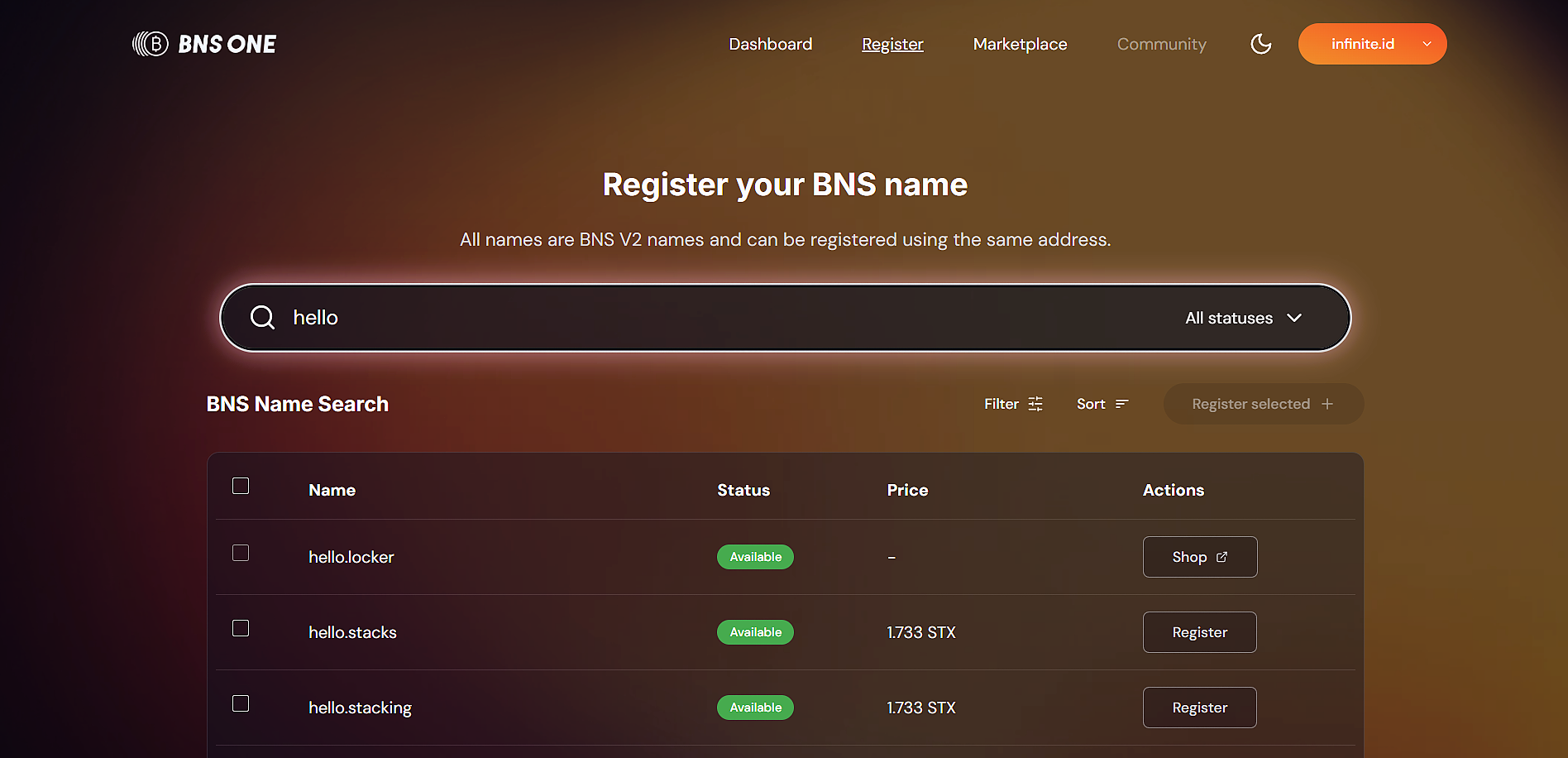
1️⃣ **Search** for an available name on **BNS One**.\
2️⃣ **Select multiple names** you'd like to register, use the tick boxes to choose and continue searching.\
3️⃣ Once you've made your selections, click **‘Register Selected’** to proceed to checkout.\
4️⃣ **Confirm the transactions** using a Stacks wallet like **Leather or Xverse**.\
5️⃣ Once confirmed on-chain, the names are **fully owned by you**. Visit your **Dashboard** to view and manage them.
💡 **Tip:** Premium, short, and rare names get snatched up quickly—**register early to secure the best ones!** 🚀
### Renewing a BNS Name
Keep your **BNS names active** and **avoid expiration** by renewing them in just a few steps:
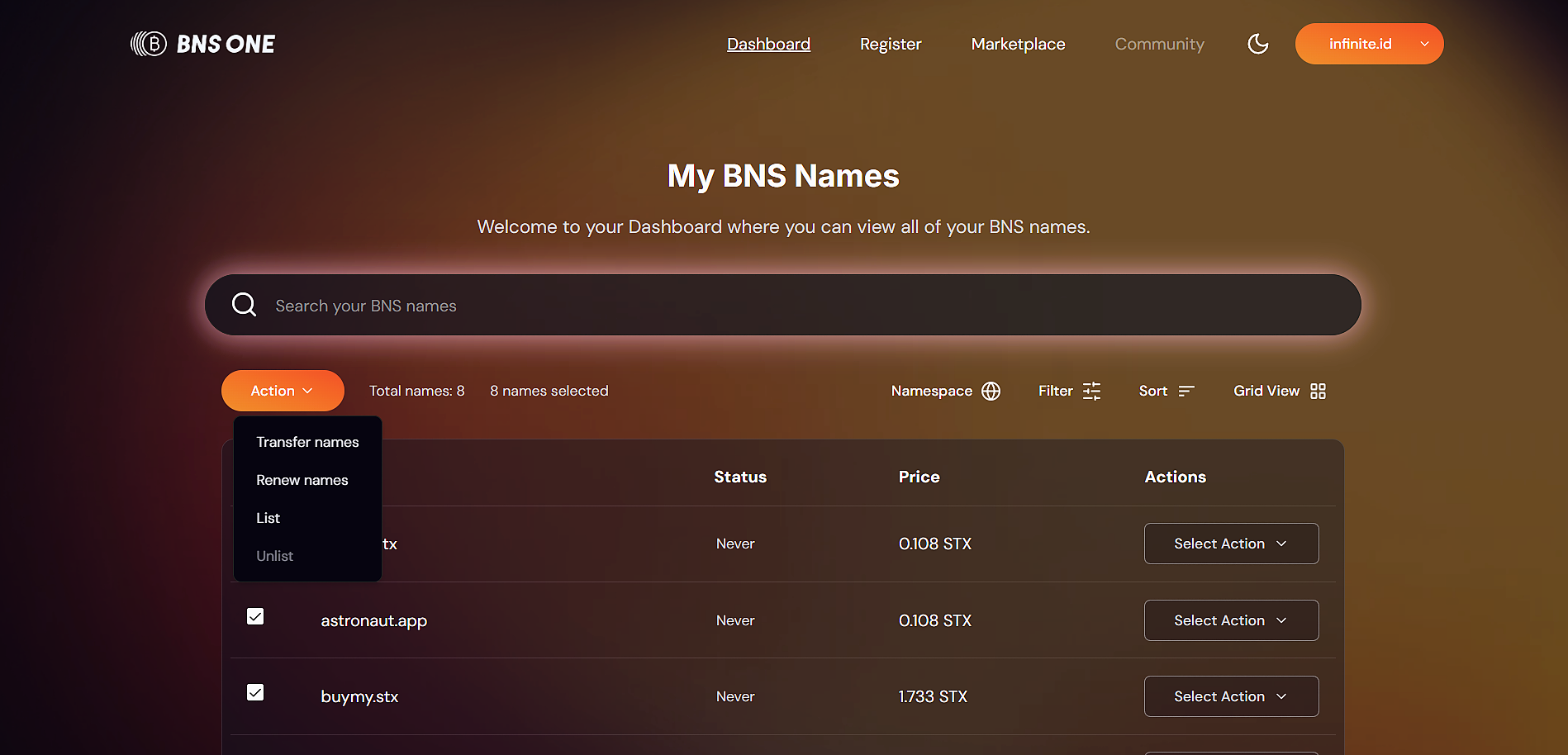
1️⃣ **Go to your Dashboard** and tick the names you want to renew. **Note:** names in the **.app, .stx, and .stacks** namespaces **never expire** and do not require renewal.\
2️⃣ Click the **‘Action’** button and select **‘Renew Names’**.\
3️⃣ In the **Checkout** screen, review your selected names and choose the renewal duration.\
4️⃣ **Confirm the transactions** using a **Stacks wallet** like **Leather or Xverse**.\
5️⃣ Once confirmed on-chain, your names are **successfully renewed**. Go back to your **Dashboard** to see the updated expiry dates.
💡 **Expiration Schedule:** `.btc` names last **5 years**, while other namespaces vary. Check our **FAQ** for full details. 🚀
### Updating your Profile
Customize your **BNS One profile** to enhance your identity across wallets and dApps:
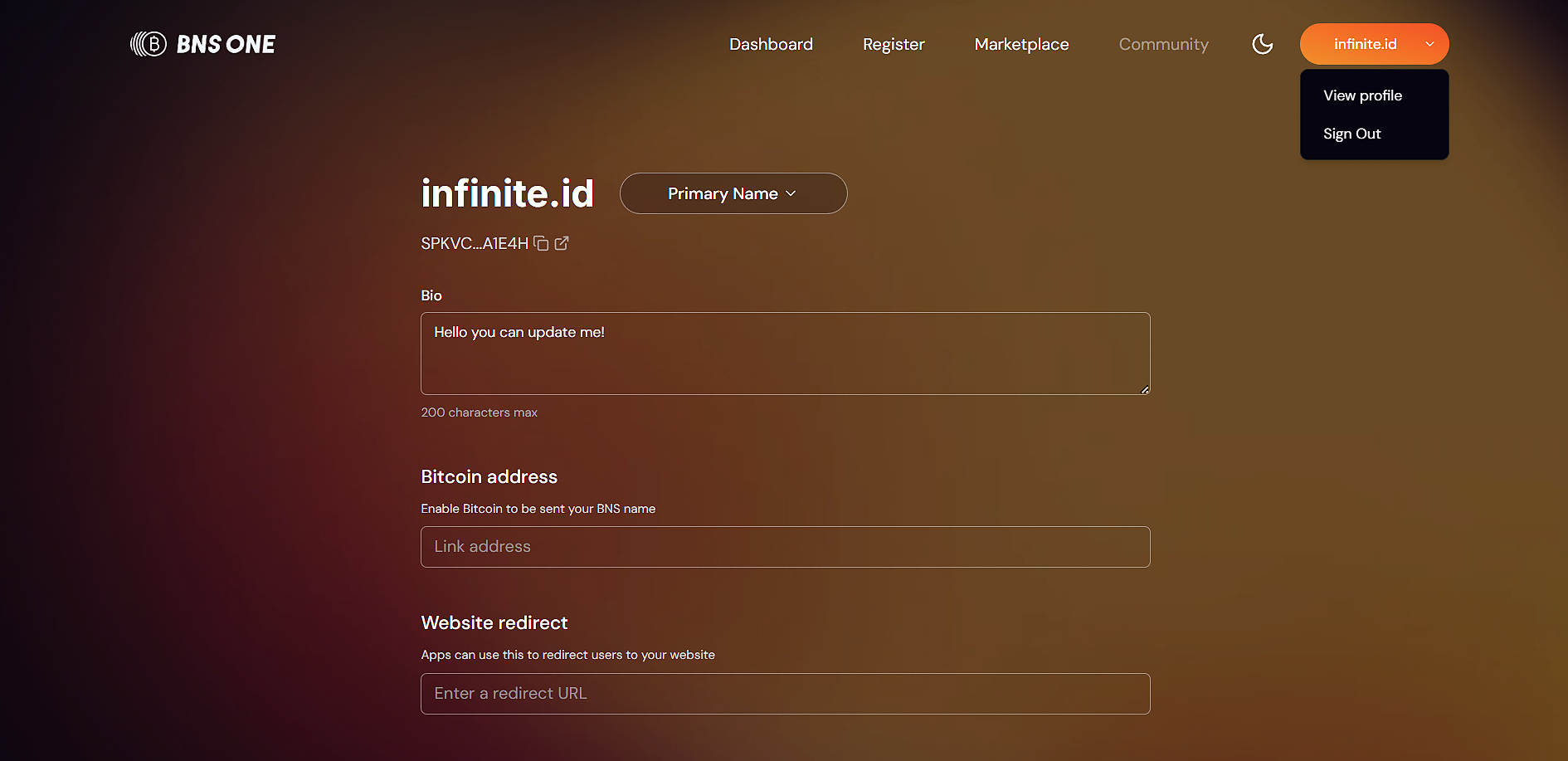
1️⃣ Click on your **wallet address** (orange button) in the top-right corner and select ‘View Profile’.\
2️⃣ **Set your Primary Name** – Choose the BNS name you want displayed across wallets and dApps.\
3️⃣ **Update your Bio & Bitcoin Address** – Add a personal bio and set your BTC address to receive Bitcoin directly to your BNS name.\
4️⃣ **Configure Additional Details** – Customize your:\
\- **Website Redirect** – Direct visitors to your personal or business website.\
\- **Lightning URL** – Enable seamless Bitcoin Lightning payments.\
\- **Other profile fields** to enhance your BNS identity.\
5️⃣ Once done, click **‘Save Changes’** and confirm the transaction to update your Zonefile on-chain.
🚀 **Your profile is now updated, making your BNS name more functional and discoverable!**
***
### Transferring a BNS Name
Selling or gifting a **BNS name**? Easily **transfer ownership** in just a few steps:
1️⃣ **Go to your Dashboard** and tick the names you want to transfer.\
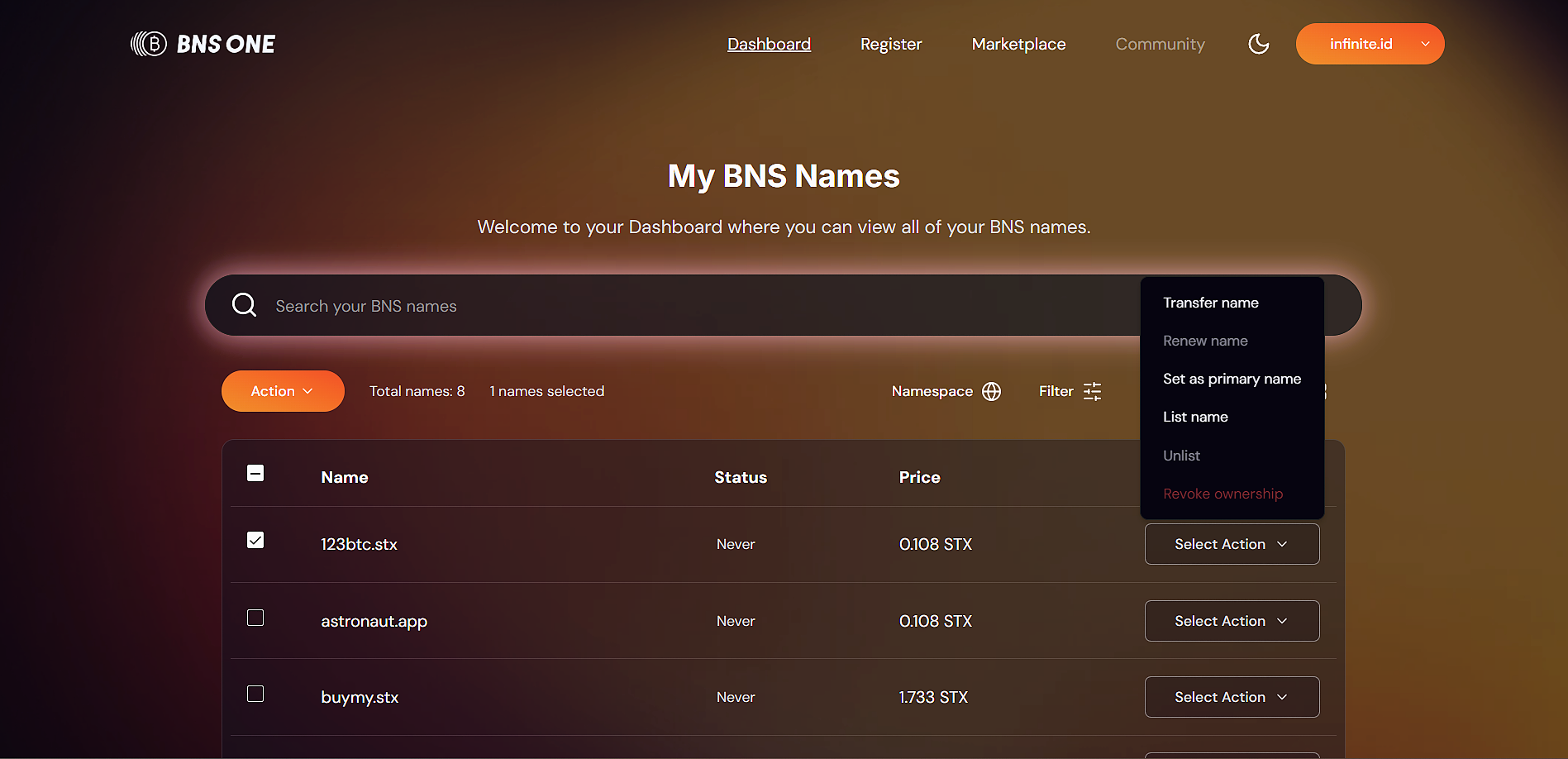
2️⃣ Click the **‘Action’** button (or **‘Select Action’** if transferring an individual name).\
3️⃣ If using the **‘Action’** button, you’ll be taken to the **Checkout screen**, where you can transfer names **one by one**.\
4️⃣ Enter the recipient’s **Stacks wallet address** or BNS name and confirm the transaction.\
5️⃣ Once confirmed on-chain, your names are **successfully transferred**. Return to your **Dashboard** to verify they are no longer in your account.
💡 **The new owner will have full control immediately after the transfer is confirmed.**
***
### Listing & Unlisting a BNS Name
Easily list your **BNS names** for sale on the **BNS One Marketplace** in just a few steps:
1️⃣ **Go to your Dashboard** and tick the names you want to list.\
2️⃣ Click the **‘Action’** button (or **‘Select Action’** if listing a single name).\
3️⃣ If using the **‘Action’** button, you’ll be taken to the **Checkout screen**, where you can **set listing prices and list names one by one**.\
4️⃣ Confirm the transaction on-chain, and your names will be **successfully listed**.\
5️⃣ Return to your **Dashboard** to verify that your names are listed, you’ll see a **blue tag with the 'One' logo**, indicating they’re active on the **BNS One Marketplace**.
🚀 **Your names are now available for buyers, start receiving offers today!**\
\
**🔹 Unlisting Your BNS Names**
Want to remove a name from the marketplace? Follow the same process:
1️⃣ **Go to your Dashboard** and tick the names you want to unlist.\
2️⃣ Click the **‘Action’** button and select **‘Unlist’**.\
3️⃣ Confirm the transactions on the **Checkout screen**, and your names will be **removed from the marketplace**.\
4️⃣ Return to your **Dashboard** to verify the names are no longer listed.
💡 **You remain the full owner of your names after unlisting, ready to list again whenever you choose!**
***
### Marketplace: Buying, Selling & Making Offers
BNS One includes a **fully integrated marketplace**, enabling seamless trading of BNS names.
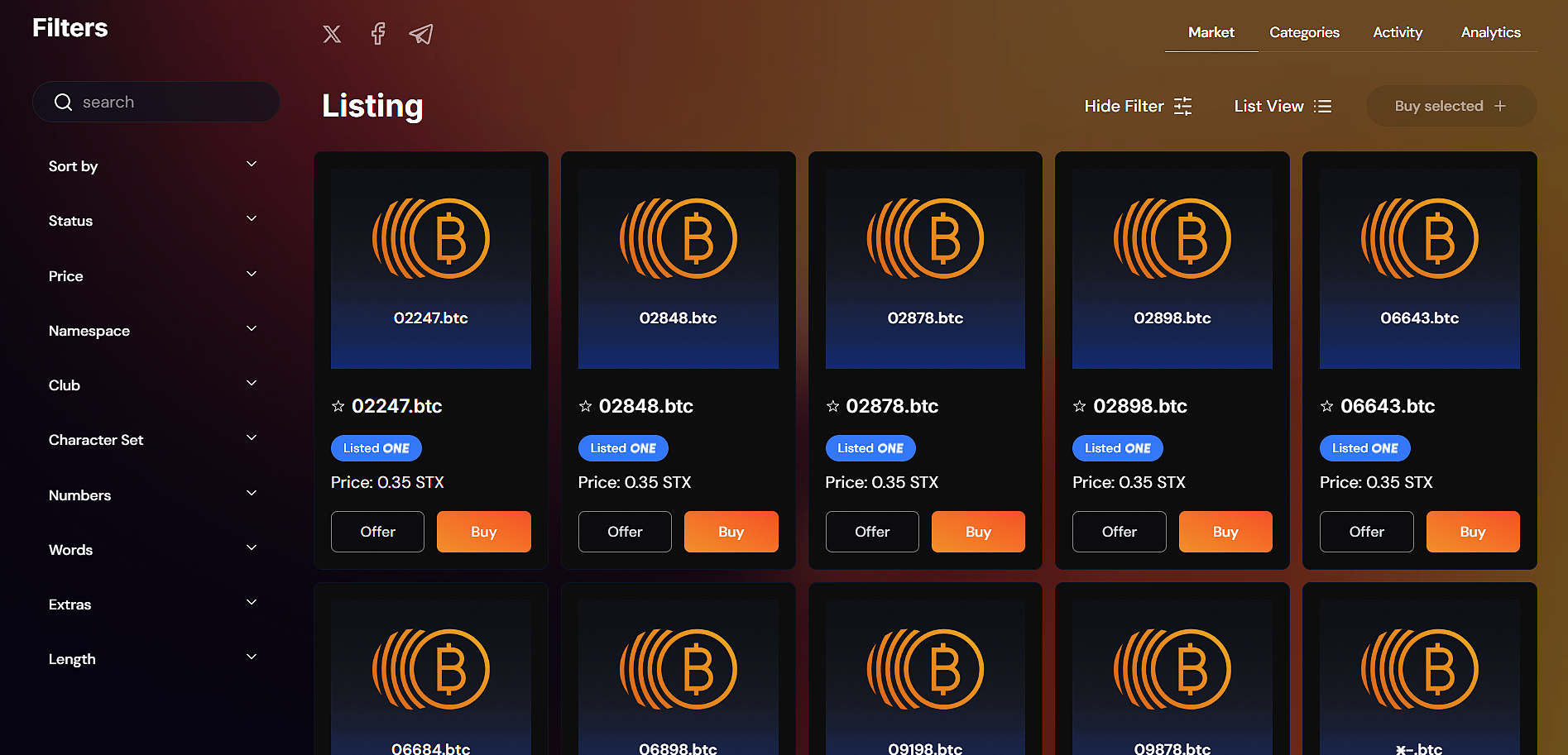
1️⃣ **Browse the Marketplace** – Use filters to explore available BNS names listed for sale.\
2️⃣ **Select the names** you’d like to buy by clicking on them.\
3️⃣ When ready, click **‘Buy Selected’** to proceed to the **Checkout screen**.\
4️⃣ Click **‘Purchase Names’** to buy all selected names in one transaction.\
5️⃣ **Confirm the transaction on-chain** using your **Stacks wallet**.\
6️⃣ Return to your **Dashboard** to verify your newly acquired names in your wallet.
🚀 **You now own your BNS names and you're ready to trade, transfer, or customize!**
### Making & Accepting Offers
You'll soon be able to make, accept, reject and counter offer in BNS One - coming soon!
💡 **BNS One also syncs listings with external marketplaces (e.g. Gamma), giving your listings more visibility!**
***
### BNS One Marketplace: Real-Time Insights & Analytics
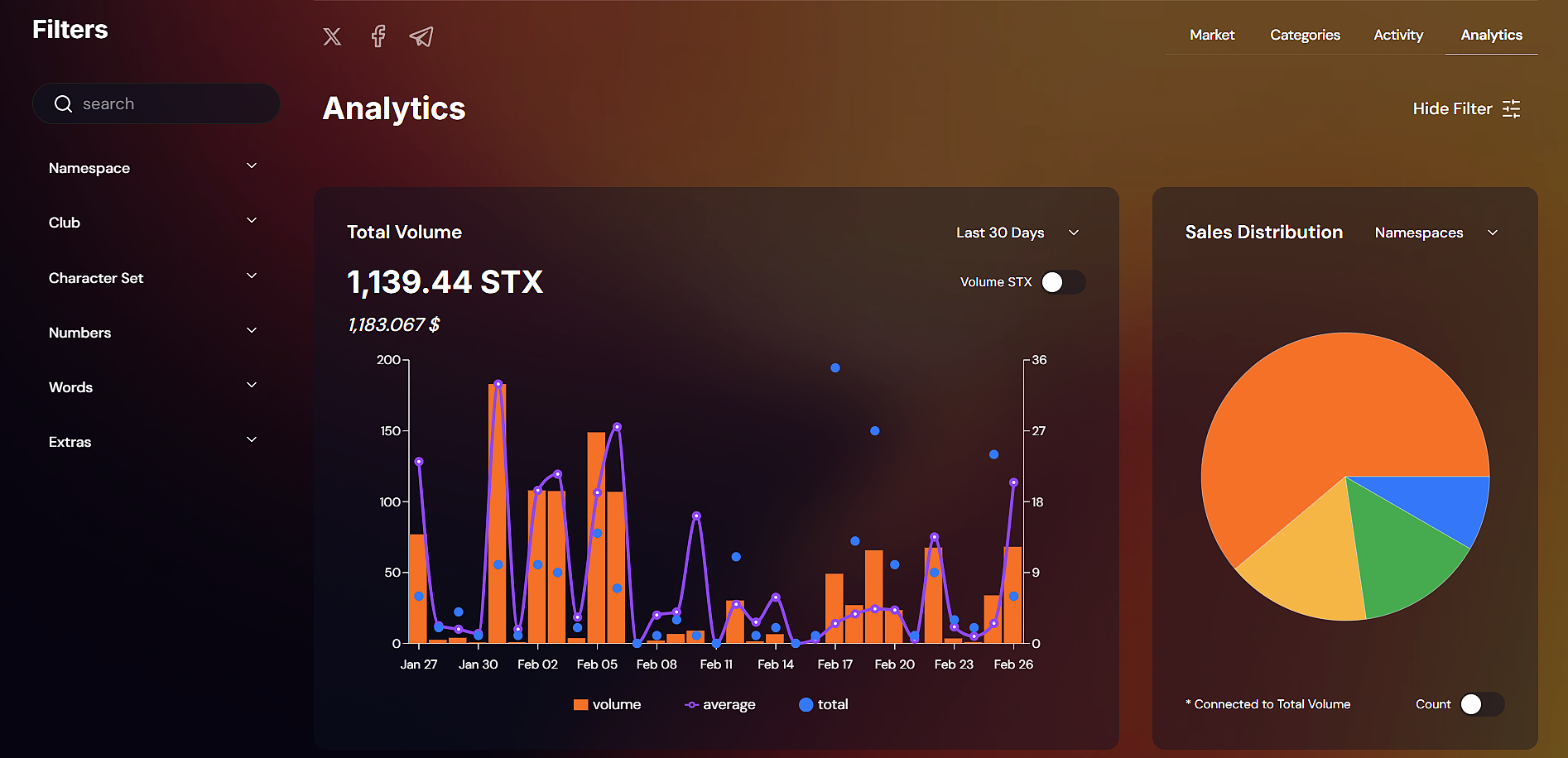
The **BNS One Marketplace** offers **real-time market data and insights**, helping traders make **informed decisions** and maximize their BNS portfolios.
🔹 **Live Floor Prices** – Track trends for 3-digit, 4-digit, sports teams, keywords, and more.\
🔹 **Recent Sales & Market Activity** – View completed transactions, all-time sales, and top 100 sales.\
🔹 **Top Performing Namespaces** – See which BNS namespaces (.btc, .id, .stx, etc.) are trending.\
🔹 **Most Searched & Traded Names** – Identify hot keywords & valuable name trends.\
🔹 **Price Distribution & Top Owners** – Analyze historical data, major traders, and portfolio leaders.
💡 **With real-time analytics, you can spot opportunities, time your trades, and optimize your BNS strategy like a pro!** 🚀